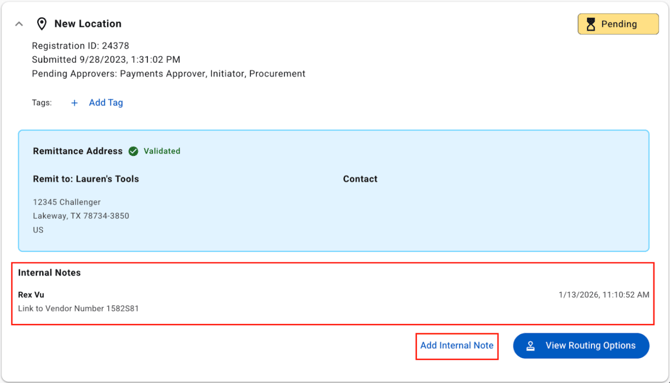
How Notes Work
-
Add new notes directly from the Notes tab.
-
Notes from New Location and Edit Location data changes are automatically added here.
-
Notes appear in newest to oldest order for easy tracking.
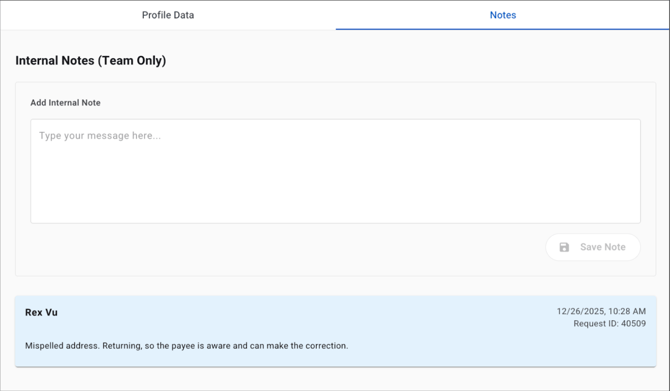
Each Note Includes:
-
Author Name
-
Related Request ID
-
Date and Time Posted